Streamline your development with Aspire

Agent-ready, code-first. Compose, debug, and deploy any distributed app.

支持在所有主要云提供程序上运行

Aspire 插图

One app model, dev to deploy

Define your distributed app once in code and use the same model to run locally, debug interactively, and deploy to production.

Any language, any stack

Compose apps, services and stacks from .NET, Python, JavaScript, TypeScript, Go, Java, Rust, and more, all wired together in one place.

Observability built in

Every app you build with Aspire automatically includes structured logs, distributed traces, metrics, and health checks pre-configured for you.

Agent-ready by design

Aspire is built for the AI era. Its CLI, agent skills, and structured app model make it a natural partner for developer AI agents and Copilot.

Read the Aspire FAQ

Define your stack in code

Aspire is modular, composable, and extensible. Configure relationships, deployment options, and dev-time flags in one place. Use familiar APIs without a line of YAML.


Learn about the AppHost
Aspire C# API 代码片段

Local development, production deployment

Aspire mirrors production environments on your machine, ensuring smooth deployments. Runs with your local container runtime during development, then deploys the same app structure to cloud services or your own infrastructure.

Build your first app

OpenTelemetry developer dashboard

查看不需要配置的实时 OpenTelemetry 数据。Aspire 的开发人员仪表板在运行时默认启动,它显示日志、环境变量、指标等内容来快速验证应用行为。

Dive into the dashboard

Multi-cloud, limitless integrations

Aspire integrations are a curated suite of 100+ packages that make it easy to connect popular services, databases, compute environments, and stacks like PostgreSQL, Redis, Dapr, and cloud services like Azure Container Apps. Fully extensible, build your own for your unique needs.

Explore integrations

More ways to build cloud-native apps with .NET

云原生生态系统
构建可跨各种平台和环境无缝工作的灵活、可缩放且面向未来的云原生应用。
原生容器创建
无需编写 Dockerfile 即可生成 .NET 容器映像。
可观测性
通过强大的可观测性 API 和支持 OpenTelemetry,查看正在运行中的代码。
使用 ASP.NET Core 写入高性能 Web API
ASP.NET Core 被 TechEmpower 评为速度最快的 Web 架构之一。 查看 TechEmpower 基准源代码
TechEmpower JSON 基准结果
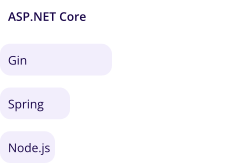
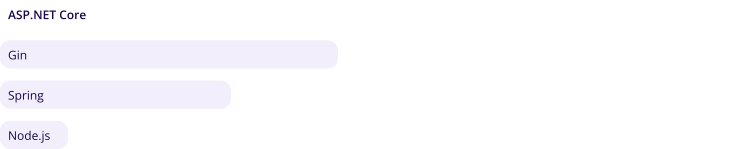
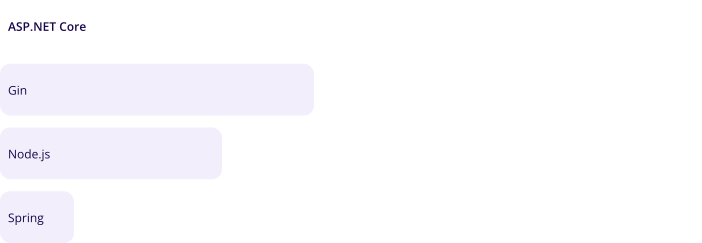
图表显示 TechEmpower JSON 基准测试结果: ASP.NET Core 为 250 万,Node.js 为 110 万,Gin 为 49.8 万,Spring 为 32.8 万。 图表显示 TechEmpower JSON 基准测试结果: ASP.NET Core 为 250 万,Node.js 为 110 万,Gin 为 49.8 万,Spring 为 32.8 万。 图表显示 TechEmpower JSON 基准测试结果: ASP.NET Core 为 250 万,Node.js 为 110 万,Gin 为 49.8 万,Spring 为 32.8 万。
每秒 JSON 响应数 (RPS)
使用 OpenAPI 的 gRPC 和 REST
NET 对所有热门 API 的支持,可为任何前端的应用提供支持。
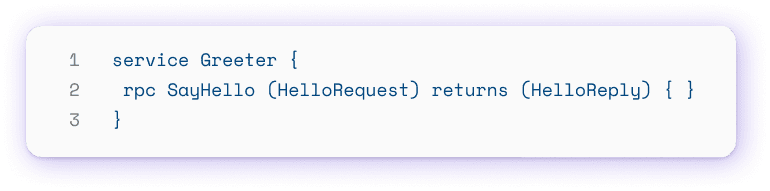
创建 gRPC 客户端
gRPC 代码示例
简化数据访问
使用实体框架查询热门数据库,如不使用 SQL 的 PostgreSQL、SQL Server、SQLite 和 Cosmos DB。
阅读实体框架文档
数据查询代码示例
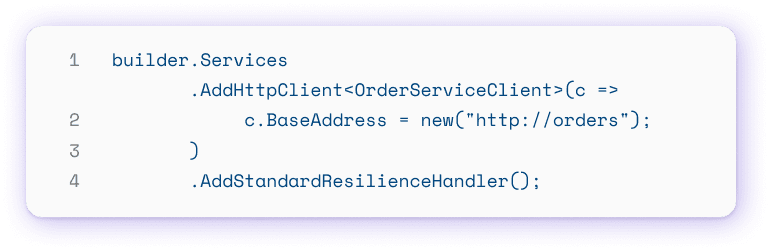
复原能力
使用. NET 的内置复原 API,轻松创建可靠的应用程序。
API 代码示例

More tools for building great .NET apps

什么是 Azure Developer CLI?
Azure Developer CLI (azd) 可加速从本地开发环境到 Azure 的进程。使用一个工具初始化存储库、预配资源和部署应用程序。
了解 azd
Azure Developer CLI 模板
使用注入了云最佳做法的灵活、二极化的应用模板。针对 .NET 精心挑选,在几分钟内即可获取 Azure 的本地开发。
浏览 .NET 模板
VS Code 中的 C# 开发工具包
使用 Visual Studio Code 的 C# 开发工具包编写、维护、测试和调试代码。提升 Windows、macOS、Linux 或 GitHub Codespaces 上的 C# 开发。
安装 C# 开发工具包
  1. TechEmpower Benchmarks 第 23 轮结果的性能排名。